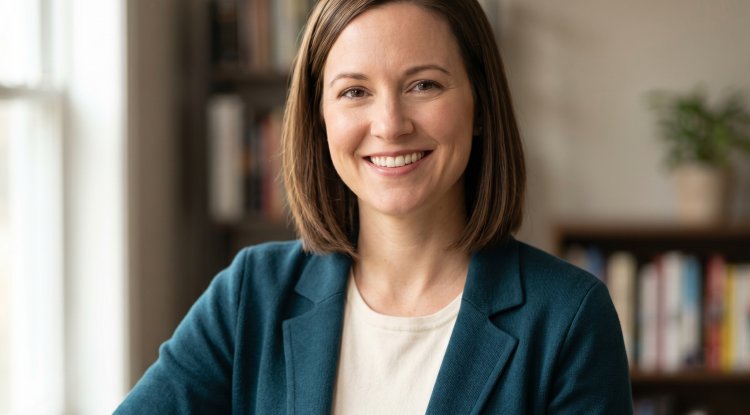
10 ChatGPT Prompts for a Perfect Professional Photo Headshot
Want ChatGPT Prompts for a professional Photo headshot for a male or female? Discover 10 ChatGPT prompts for professional photo headshots. Just upload your photo and copy-paste our ChatGPT Prompts for a professional Photo headshot.
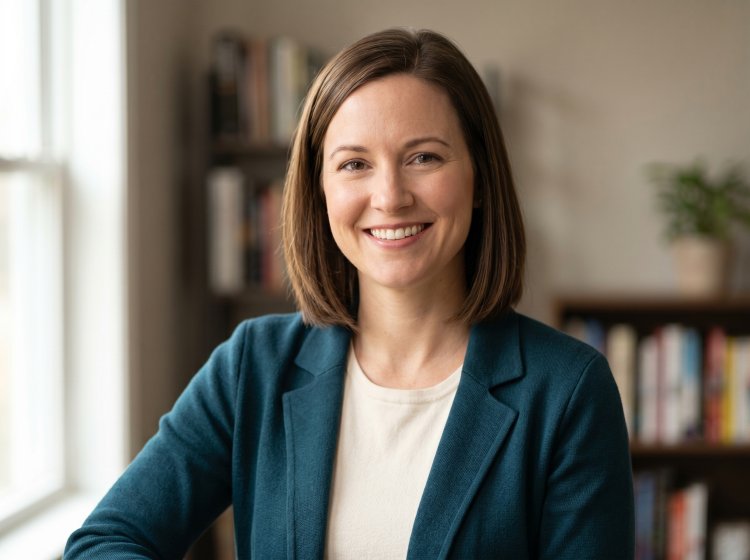
Your headshot is often the first thing a recruiter, client, or collaborator sees — and first impressions happen fast. A blurry selfie or an awkward crop from a group photo simply won't cut it in today's competitive professional world. But here's the good news: you don't have to spend hundreds of dollars at a photography studio to get an image that looks clean, confident, and polished.
With the right ChatGPT prompt for professional photo headshot creation — using ChatGPT 5 with DALL·E — you can transform a simple selfie into a studio-quality headshot in minutes. No photographer. No expensive equipment. Just your phone and a good prompt.
In this guide, you'll get 10 ready-to-use prompts, pro tips on how to get the best results, and expert advice on what makes a headshot actually work.
Quick Answer
How do you get a professional headshot with ChatGPT?
Take a clear photo of yourself, upload it to ChatGPT 5, and paste one of the prompts below. ChatGPT will retouch your photo with professional lighting, a clean background, and a polished finish — no photographer or studio needed.
How to Get Professional Headshots With ChatGPT
Getting started is simple. Follow these three steps:
Step 1. Take a clear photo of yourself. Step 2. Upload it to ChatGPT 5. Step 3. Copy and paste one of the following prompts:
Why ChatGPT Prompts Matter for Headshot Photography
Whether you're generating an AI headshot or briefing a human photographer, the quality of your prompt determines the quality of your result. Vague instructions produce vague results. A well-structured prompt acts like a director's notes — it tells ChatGPT exactly what you want.
With these prompts, ChatGPT can help you:
- Retouch and upgrade your selfie into a studio-quality professional headshot
- Replace distracting backgrounds with clean, professional ones
- Improve lighting without you being anywhere near a studio
- Match the right style for your industry — legal, creative, tech, healthcare, and more
The following 10 prompts are designed to give you maximum control over the final result.
10 ChatGPT Prompts for Professional Photo Headshots
Prompt 1: The Classic LinkedIn Headshot

Best for: LinkedIn profiles, job applications, and corporate directories.
"Transform this photo into a professional LinkedIn headshot. Keep my face exactly as it is. Place me against a clean, plain light gray background. Add soft, even studio lighting on my face. Make sure I look polished, sharp, and professional. High resolution output."
Why it works: This prompt nails the three essentials — clean background, professional attire, and flattering lighting — that make LinkedIn photos perform well.
Prompt 2: The Corporate Office Look

Best for: Company websites, corporate directories, and team pages.
"Edit this photo to look like a professional corporate headshot. Clean up the background and replace it with a neutral white or gray office-style background. Improve the lighting to look like professional indoor studio lighting. Keep my facial features natural and untouched. Output should look like it was taken by a professional photographer."
Why it works: Neutral tones and clean studio lighting communicate reliability — exactly what corporate audiences are looking for.
Prompt 3: The Warm and Approachable Style

Best for: Coaches, therapists, educators, and healthcare professionals.
"Retouch this photo to give it a warm, approachable, and friendly professional look. Soften the lighting with a warm tone. Replace the background with a soft, blurred white or cream background. My expression should look genuine and welcoming. Keep my face natural — no heavy filters."
Why it works: Warm lighting and a genuine smile communicate approachability — critical for trust-based professions.
Prompt 4: The Executive and Leadership Look

Best for: CEOs, VPs, board members, and senior leaders.
"Transform this photo into a high-end executive headshot. Apply dramatic but professional studio lighting with a slight shadow on one side of my face. Replace the background with a deep charcoal or dark navy tone. I should look authoritative, composed, and confident. Premium quality, editorial style."
Why it works: A slightly dramatic, high-contrast look signals authority and confidence — exactly what executive audiences expect.
Prompt 5: The Tech and Startup Vibe

Best for: Developers, founders, product managers, and startup teams.
"Edit this photo into a modern, minimalist professional headshot. Keep the look clean and simple. Use a neutral dark or white background. Lighting should be even and diffused — no harsh shadows. The style should feel modern and tech-forward, not overly corporate. Keep my appearance natural."
Why it works: Tech culture leans casual but clean. Over-formal attire can actually hurt perception in this industry.
Prompt 6: The Creative Industry Look

Best for: Designers, marketers, content creators, and agency professionals.
"Retouch this photo into a creative professional headshot with personality. Add a slightly editorial feel. Use a softly blurred lifestyle background — like a studio wall, brick, or café. Keep the lighting natural but clean. My expression should look confident and expressive. Magazine-style quality."
Why it works: Creatives need personality to come through. A slightly unconventional background shows individuality without looking unprofessional.
Prompt 7: The Author or Speaker Headshot

Best for: Book authors, keynote speakers, podcasters, and thought leaders.
"Turn this photo into a professional author or speaker headshot. Use warm, soft studio lighting. Place me against a subtly blurred background — like a bookshelf or a neutral warm tone. I should look thoughtful, intelligent, and approachable. Slight 3/4 angle if possible. High-quality, editorial finish."
Why it works: Speakers and authors need to project intellectual credibility. The slight angle and bokeh background give this a professional editorial feel.
Prompt 8: The Healthcare Professional Look

Best for: Doctors, nurses, dentists, pharmacists, and medical staff.
"Edit this photo into a clean medical professional headshot. If I'm wearing a lab coat or scrubs, keep them. Replace the background with a plain white or light blue clinical background. Lighting should be bright and even. I should look calm, trustworthy, and professional. Sharp, photorealistic quality."
Why it works: Patients look for calm and competence. The neutral background and composed expression communicate exactly that.
Prompt 9: The Real Estate and Sales Look

Best for: Real estate agents, financial advisors, insurance brokers, and sales professionals.
"Retouch this photo into a bright, high-energy professional headshot. Replace the background with a clean white or soft light blue background. Make the lighting bright and even. My smile should look warm, confident, and inviting. I want to look approachable and trustworthy. Polished, high-resolution finish."
Why it works: Sales and real estate photos need energy and approachability. Bright lighting and a warm smile signal openness and enthusiasm.
Prompt 10: The Freelancer and Remote Worker Look

Best for: Freelancers, consultants, virtual assistants, and remote employees.
"Edit this photo into a friendly, professional headshot with a relaxed but polished feel. Use a softly blurred home-office style background — like a bookshelf or neutral wall. Lighting should look like natural window light. I should look approachable, warm, and professional without being overly formal. Photorealistic quality."
Why it works: Freelancers benefit from looking approachable and human, not stiff or corporate. The home-office background adds authenticity without looking sloppy.
How to Customize These Prompts
One size doesn't fit all. Here's how to tailor any of the prompts above to your specific situation:
- Skin tone / features: Add descriptors like "fair skin," "dark complexion," or "South Asian features" for more accurate results
- Hair style: Add "short natural curls," "long straight hair," "bald," or "salt and pepper beard"
- Age: Specify "late 20s," "mid 40s," or "early 60s" for more realistic output
- Glasses: Add "wearing thin-frame glasses" if applicable
- Aspect ratio: Add "portrait orientation, 4:5 ratio" for vertical headshots or "1:1 ratio" for square profile photos
Pro Tips to Get the Best Results
1. Start with a well-lit source photo. The better your original photo, the better ChatGPT's output. Take it near a window or in good natural light. ChatGPT can only work with what you give it.
2. Face the camera directly. Angled or tilted photos can confuse the AI when editing backgrounds and lighting. A straight-on shot gives the cleanest result.
3. Run the prompt 2–3 times. Each generation comes out slightly different. Run it a few times and pick the best one, then refine from there.
4. Ask for specific tweaks. If you don't love the result, just follow up: "Make the background darker" or "Soften the lighting more." ChatGPT will adjust without starting over.
5. Add "do not alter my facial features." If you want to make sure your face stays exactly as it is — especially important for real headshots, not AI-generated ones — include this line in any prompt.
Common Mistakes to Avoid
Even with good prompts, these mistakes can hurt your results:
- Using a blurry or dark source photo. ChatGPT cannot fix what it cannot see clearly.
- Vague prompts. "Make me look professional" is not enough. Always specify background, lighting, and expression.
- Contradictory instructions. Asking for "dramatic shadows" and "bright even lighting" at the same time will confuse the output.
- Skipping the framing instruction. Without it, you may get a full-body shot or an extreme close-up instead of a clean head-and-shoulders frame.
- Stopping at the first result. The first generation is rarely the best. Always run it at least two or three times.
What Makes a Headshot Look Professional?
Not sure why some headshots look polished and others don't? Here are the five elements every great professional headshot has:
- Clean background — No clutter, no distracting colors. Gray, white, or softly blurred environments work best.
- Good lighting — Soft, even light with no harsh shadows across the face.
- Sharp focus on the face — Your eyes especially should be crisp and in focus.
- Appropriate framing — Head and shoulders only. Centered in the frame.
- Confident expression — Natural and composed, not forced or blank.
Every prompt in this list is written to hit all five of these factors automatically.
Conclusion
A strong professional headshot isn't just a nice-to-have — it's a career and business asset. Whether you're updating your LinkedIn, launching a personal brand, or building a portfolio, the right image can open doors. With these 10 ChatGPT prompts for professional photo headshots, you now have a practical, flexible toolkit to get exactly the look you need — no expensive studio session required.
Follow the three steps, pick the prompt that matches your industry, customize it with your details, and let ChatGPT 5 do the rest. Refine, iterate, and land on the headshot that represents you at your professional best.
FAQ Section
Q1: Does this work on regular ChatGPT or do I need ChatGPT 5?
You need ChatGPT with image generation and editing enabled. ChatGPT 5 with DALL·E integration gives the best results for photo editing and headshot refinement. Some features may not be available on the free plan.
Q2: Will ChatGPT change what I look like?
It should not change your core facial features. The prompts are written to keep your face natural while improving lighting, background, and overall polish. If results look off, add: "Do not alter my facial features in any way."
Q3: What makes a headshot look "professional"?
A professional headshot typically features clean lighting, a neutral or blurred background, appropriate industry attire, a confident and approachable expression, and sharp focus on the face. The prompts above are designed to deliver all of these automatically.
Q4: Can I use these AI-edited headshots on LinkedIn?
Yes. LinkedIn allows AI-edited or AI-generated headshots as long as the photo accurately represents you. Millions of professionals already use AI-enhanced headshots on their profiles.
Q5: What if I don't like the first result?
Just run the same prompt again — you'll get a different variation each time. Or follow up with a specific instruction like "Make the lighting warmer" or "Use a darker background." ChatGPT will adjust without you having to start over.
Q6: Which prompt works best for LinkedIn specifically?
Prompt 1 (The Classic LinkedIn Headshot) is designed exactly for this. It targets the clean, gray-background, soft-studio-light style that performs best on LinkedIn profiles.
Q7: What background color works best for professional headshots?
Neutral tones work best — light gray, white, off-white, or a softly blurred natural environment. Avoid bright or distracting colors. For executive profiles, darker backgrounds like charcoal or navy add gravitas.
Q8: Do I still need a real photographer if I can use ChatGPT?
For most online profiles, AI-enhanced headshots are perfectly adequate. However, for high-stakes contexts — printed brochures, major press features, or large corporate directories — a professional photographer will still deliver superior results in terms of lighting accuracy and natural likeness.
What's Your Reaction?