Google Ads Expert Melbourne: Setup Management and ROAS
Choose a google ads expert melbourne to audit, manage and optimise campaigns, GA4 tracking and YouTube ads for more conversions and stronger ROAS today.
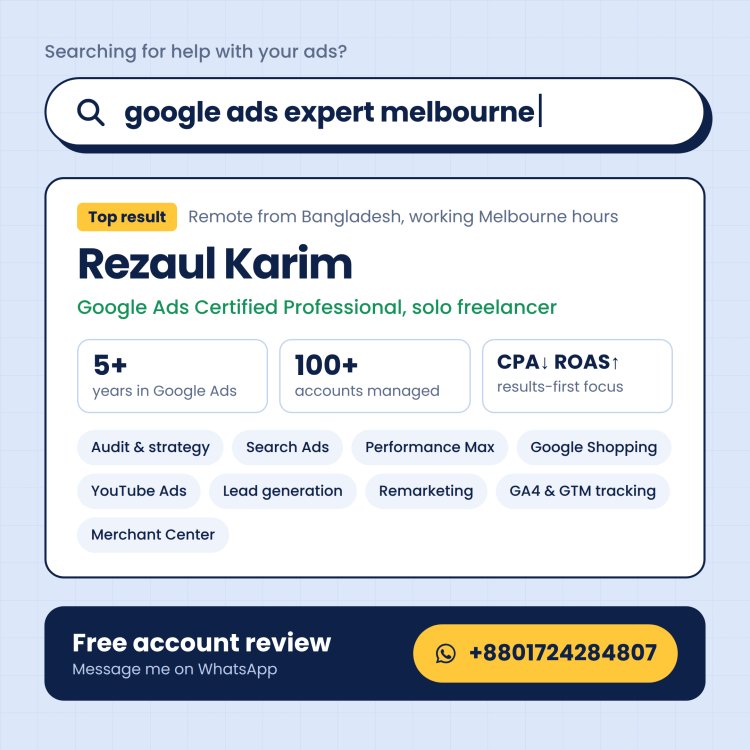
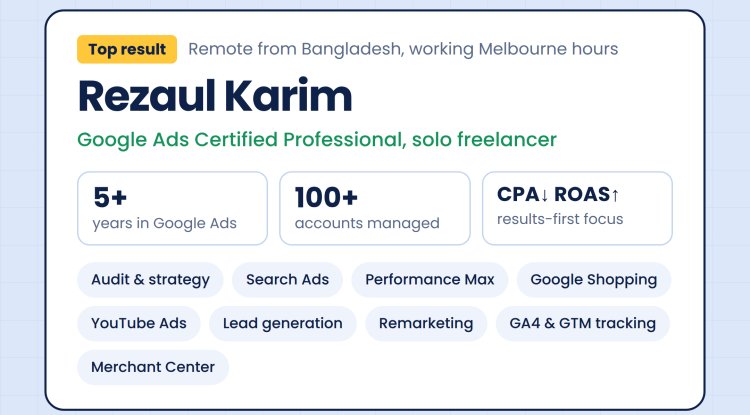
I’m Rezaul Karim, known as Robin, a Google Ads certified professional who helps businesses set up, manage and optimise their campaigns. For a business seeking growth, well-planned advertising can support leads and sales while keeping return on investment in view. ROAS means revenue attributed to ads divided by ad spend.
I audit, build, manage and optimise Google Ads campaigns, with services covering GA4, Google Tag Manager (GTM), conversion tracking, Google Merchant Center and YouTube advertising. I have 5+ years of experience across 100+ Google Ads accounts, work with clients across Australia, the UK and the USA, and speak fluent English.
My experience in Meta Ads, SEO, AEO, GEO and organic social supports deeper keyword research, keyword-difficulty assessment and analysis of the questions customers ask. I use that wider view to plan for valuable customer actions, not to promise a fixed result. The aim is to improve conversions and ROAS through relevant strategy, careful measurement and ongoing work.

Key Takeaways
- Robin audits, builds and manages Google Ads campaigns.
- ROAS compares revenue attributed to ads with ad spend.
- GA4 and Google Tag Manager can support conversion tracking.
- Campaign goals should reflect the actions your business values.
- Broader digital marketing experience can inform keyword research.
The starting point is a clear view of what a valuable lead or sale means for your business.
Which Google Ads Campaigns Fit Your Melbourne Business Goals?
A service business seeking enquiries and an online store seeking purchases usually need different campaign mixes. Start with the goal, then consider the audience and destination page. A Google Ads agency in Melbourne should match campaign selection to local demand, the business goal and the page customers will land on.
Campaign format should follow the action you want customers to take. Paid Google Search placements can appear when people search for matching terms. Display and Video use visual creative, while Shopping promotes products and Performance Max can support broader reach across Google inventory.

Choose campaign formats for the customer action and destination, not reach alone.
Lead Generation and Local Demand
Search can suit businesses seeking enquiries from people already looking for a service. Calls and form submissions are different goals, so decide which enquiries matter and which page can make the next step clear. A local provider might send search traffic to a service page with its location and booking details.
Display can help introduce a business visually to a broader audience, while YouTube Video can show a service or explain an offer. Their role depends on whether awareness or a direct enquiry is the priority. The campaign should send people to a page that reflects the ad’s promise.
E-commerce and Brand Reach
Shopping can suit an online store when product information and availability are current. Useful titles, prices, images and stock details help customers understand what is being advertised. Missing or outdated product data can make a feed less useful to both shoppers and campaign management.
Performance Max may be considered when a business wants broader reach, with its role set against the campaign goal and available assets. The table outlines typical situations, not assured outcomes.
| Campaign format | Typical role | Suitable business situation |
|---|---|---|
| Search | Capture matching search intent | Local service seeking enquiries |
| Display | Visual audience reach | Retail brand introducing a new range |
| Shopping | Show product listings | Online store with current product data |
| YouTube | Video awareness and consideration | Business demonstrating a service |
| Performance Max | Broader Google inventory reach | Business with defined goals and assets |
Choose the campaign format by the action you want a customer to take, not by reach alone.
What Should You Expect From a Google Ads Expert Melbourne Service?
A useful Google Ads engagement starts with an account audit and a written plan tied to a measurable business action. Expect a process that checks how the campaign, search intent and landing pages work together. The audit should identify what supports the goal and what needs attention.
A written plan should connect campaign decisions with customer actions and account evidence. It can set out the work, tests and review points without promising a particular ROAS, conversion increase or ranking. Google Ads Expert Mode gives campaign controls that support this work.

From Account Audit to Campaign Optimisation
I review account structure, search intent, keyword choices, ad copy, bids and landing-page fit. Keyword research should reflect how customers describe a need, not just the words a business uses internally. Each campaign needs a clear role and a destination page that supports its promise.
Before launch, I check the details that tie the strategy together:
- Business goal and customer action
- Keyword themes and match types
- Ad and landing-page relevance
- Budget allocation by campaign priority
Building the account follows the plan. Testing can compare relevant ad approaches and campaign settings, while ongoing optimisation uses performance and business priorities to guide changes. A change should have a reason, such as a mismatch between search intent and the landing page.
Quality Score is scored from 1 to 10 and uses ad relevance, expected click-through rate and landing page experience. Those components can help diagnose relevance, but Quality Score is not a substitute for business outcomes. A high score alone does not show whether the campaign produces valuable leads or sales.
Expert Mode or Smart Mode?
Google Ads Expert Mode provides the full range of features and campaign types, while Smart Mode uses a simplified interface and Smart campaigns. Expert Mode supports custom campaign goals when actions are tracked with the Google Ads tag. It also offers in-market, affinity and advertiser data audience segments.
Expert Mode supports negative keywords, ad assets and keyword match types. These options are unavailable in Smart Mode. Its wider controls can suit accounts that need more tailored campaign management, while Smart Mode offers a simpler interface for its Smart campaign setup.
My SEO, AEO, GEO, Meta Ads and organic social experience can inform keyword research and analysis of customer questions. Those skills add context to Google Ads work; they do not replace campaign expertise. Expert Mode campaign controls include features that help shape a more tailored account structure.
Treat a better Quality Score as a means of improving relevance, not as proof that a campaign is profitable.
How Do GA4 and Conversion Tracking Measure Campaign Results?
Campaign results are only useful when the tracked actions match what the business actually values. Agree on the actions first, then use GA4, Google Ads and Google Tag Manager to record them and inform reporting. A conversion action should represent a business goal, not simply activity on a website.
GA4 can record user behaviour, while Google Ads uses conversion data to assess campaign performance. Google Tag Manager can help manage the tags that send event information. The right setup depends on the agreed action, site features and the account’s existing configuration.
The table shows what to confirm for common actions. A page view should count as a conversion only when that page represents a meaningful goal, such as reaching a defined confirmation page.
| Conversion action | Tracking setup to confirm | Business use |
|---|---|---|
| Form submission | Form success event or confirmation page | Measure submitted enquiries |
| Purchase | Purchase event with order value | Measure online sales and revenue |
| Phone call | Call event or suitable call tracking | Measure calls from potential customers |
| Page view | Specific meaningful page event | Measure a defined content or sign-up goal |
More technical accounts may use server-side Google Ads conversion tracking. This requires Google Ads and Google Tag Manager admin rights, a configured Tag Manager web container, a server container and a GA4 client. A Conversion Linker tag is recommended in the server container, usually triggered on all pages.
That setup uses a GA4 key event and a Google Ads Conversion Tracking tag with a conversion ID and label. The tag can trigger on a custom event matching the GA4 event name or a specified page URL. Enhanced Conversions collection methods include automatic, manual and code configuration.
These are technical options, not requirements for every account. Before optimisation begins, test each priority conversion action and confirm it appears correctly in the relevant reporting.
How Can YouTube, Remarketing and Merchant Center Support Growth?
YouTube, remarketing and Shopping are most useful when their audience or product information matches a defined business goal. Use them with purpose: a video may introduce a brand, while follow-up ads can address earlier site interactions. Previous visitors are not one uniform audience.
Remarketing can separate people by actions such as viewing particular pages or abandoning a cart. That allows messages to reflect what visitors did, with placements across the Google Display Network and YouTube. Audience groups should relate to a useful next step rather than treating every visit alike.
YouTube Ads and Remarketing
YouTube advertising can build awareness through video, with its campaign objective guiding the format and measurement. Follow-up can speak to a group that viewed a product page or left a cart, rather than showing the same message to all previous visitors. Shopping work can also include feed improvements, campaign structure and bidding strategies.
Shopping Feeds and 2026 Platform Changes
Shopping campaigns rely on product details that accurately represent the store’s offer. Product-feed work can review titles, descriptions, availability and other information, then organise campaigns around the store’s priorities. Clear details make the listings more useful to customers considering a purchase.
In 2026, Google Ads announced a beta channel performance report for Performance Max campaigns. It also announced campaign-level negative keyword lists and increased search-theme limits for Performance Max. These changes offer more reporting and controls, but do not guarantee better performance.
Demand Gen campaigns can optimise for YouTube follow-on views in 2026. Merchant Center performance-reporting updates took effect on 24 August 2026, aligning reporting definitions across Google Ads and YouTube. Merchant Center reporting changes sit alongside separate product-discovery updates.
Google announced Merchant Center AI performance insights for product discovery on AI Mode, AI Overviews in Search and the Gemini app. In September 2026, Google announced that Merchant Center Shopping ads and free-listing policies would be consolidated into one set. The change is intended to clarify organisation, not introduce substantive policy changes.
Check that any newly available reporting or targeting option answers a decision your business needs to make.
What Should You Check Before Hiring a Google Ads Specialist?
A good provider fit is demonstrated by clear responsibilities, relevant experience and access to the account you own. Check the working relationship as well as campaign knowledge. Google Ads, GA4 and Google Tag Manager access are separate permissions, so clarify each one.
A Google Ads agency in Australia can serve a Melbourne business, but you should check its understanding of your market and how it communicates. A Google Ads management agency should explain who handles strategy, optimisation and reporting. Finding a Google Ads specialist near you does not require choosing by postcode alone; relevant experience, access and communication matter too.
Use these five checks to compare Google Ads experts and the service they offer:
- Relevant business and campaign experience
- Who will do the work and communicate with you
- Account ownership and access
- What reporting explains and how often
- Which services are included in the agreed scope
Ask who will review the account and explain changes in plain language. Reporting should help you understand performance against your goals, not just show activity. Clear responsibilities make it easier to know who is managing the work and where questions should go.
I work with clients in Australia, the UK and the USA. That does not mean I am based in Melbourne. A remote working relationship can still be practical when communication, account access and reporting expectations are agreed at the start.
Account ownership matters if a provider relationship changes. Keep the Google Ads account in the business’s control and grant the provider only the access needed for the agreed work.
What Affects Google Ads Management Costs?
The total cost has two parts to plan separately: the management service and the budget paid to Google for advertising. They are different costs: the management fee covers agreed work, while media spend pays Google for clicks or impressions. Do not treat the provider’s fee as part of the advertising budget.
The management fee depends on agreed scope, campaign complexity, tracking needs and whether landing-page or creative work is included. Setup and reporting can also change the workload. A quote should reflect the actual campaigns and services the business needs, rather than a vague promise of results.
Google Ads spend is paid to Google for advertising activity. The amount set aside for that spend is separate from paying someone to manage campaigns. Keeping the two figures distinct makes the overall cost easier to review against business priorities and performance.
Before work begins, the quote should define deliverables, reporting, account access and any setup work. It should also state whether landing-page or creative work falls within the agreed scope. That clarity helps you compare providers on the work included, rather than on a headline fee alone.
A changing campaign mix or a request for additional work can alter the management workload. Set out who approves scope changes and how those changes will be described. The written agreement should make clear which tasks are included from the start.
Ask for a written scope that separates management work from media spend before agreeing to proceed.
Ask for a written scope that separates management work from media spend before agreeing to proceed.
Conclusion
A stronger Google Ads plan begins with a clear business goal and reliable conversion measurement. Those foundations help you assess whether campaign activity supports valuable leads, sales or another action that matters to your business. They also give you a more useful basis for reviewing performance and planning growth.
Prepare your current account, the customer actions you value and your growth priorities for an initial discussion or audit. I can then consider the account’s tracking and management needs without assuming a particular result. Share your campaign goals and tracking setup with Robin to discuss a suitable audit or management approach.
FAQ
How quickly can Google Ads start generating leads?
Should I manage Google Ads myself or hire a specialist?
Can YouTube ads be managed through Google Ads?
Do I need Google Tag Manager to track Google Ads conversions?
What should I prepare for a Google Ads audit?
Can GA4 data help measure Google Ads campaigns?
What's Your Reaction?